
Onboard tenants in one shareable link.
Tenant onboarding software built for UK landlords. Send the form, they fill it in, and their details, ID and consent land in your contacts automatically — then run a built-in Vorensys reference check from £7, without leaving RentFig.
GDPR-compliant consent capture
Explicit consent for data processing and credit checks, stored with timestamps on the contact record.
Documents encrypted at rest
Every uploaded document is encrypted at rest with row-level access controls. Only your organisation can see them.
Built-in referencing
Credit, income and reference checks run inside RentFig — Full tenant report £17 or Credit check only £7. No third-party portals.
From shared link to signed reference
The whole flow lives in RentFig. No PDFs to email, no spreadsheets to update, no copying details between systems.
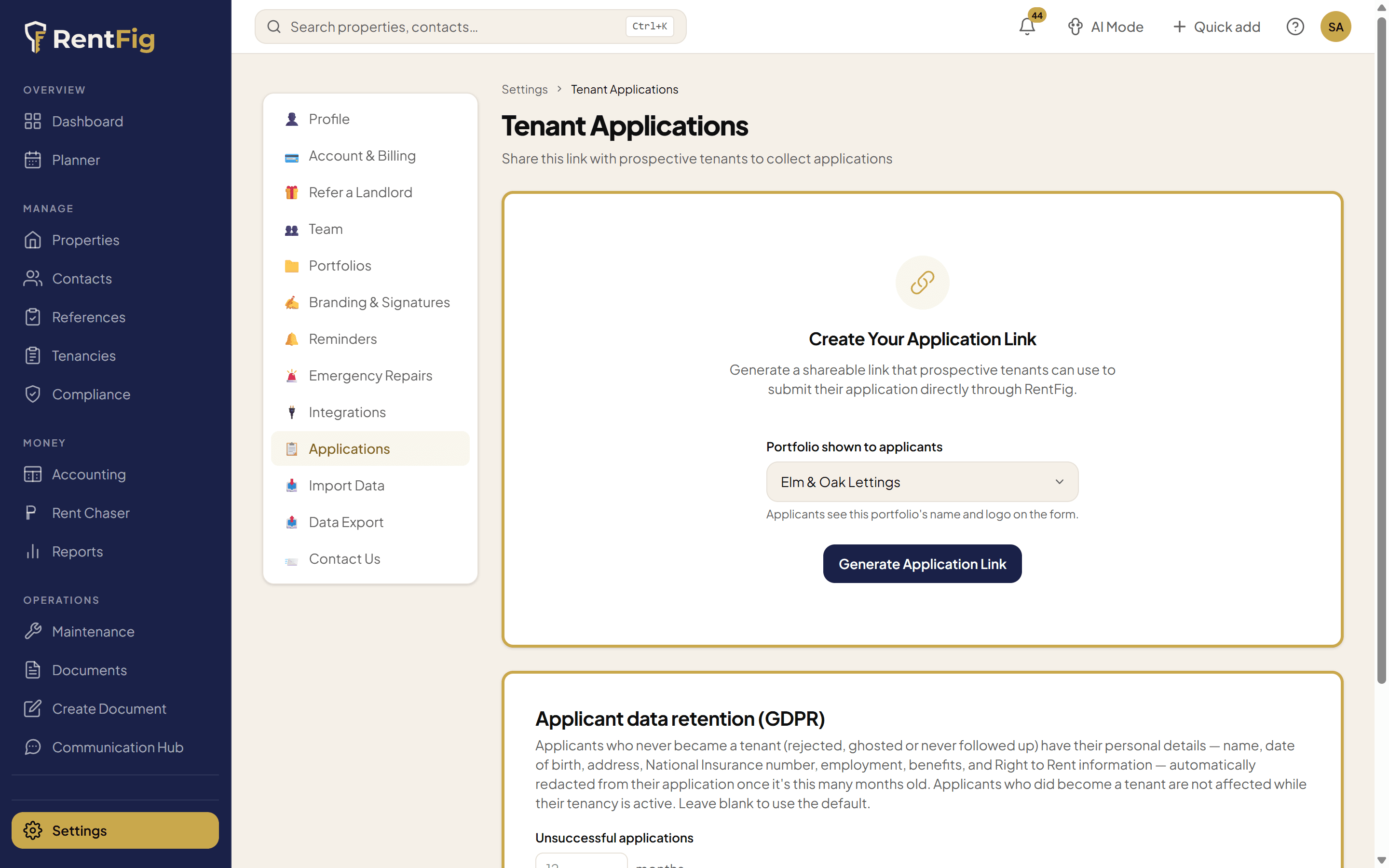
Share your application link
Generate one branded link from Settings → Tenant Applications. Send it by email, paste it into a property listing, or drop it into a WhatsApp message. One link, every prospect.
- One reusable link per organisation — no per-tenant setup
- Regenerate at any time to deactivate the old link
- Tenants land on a clean, RentFig-branded form
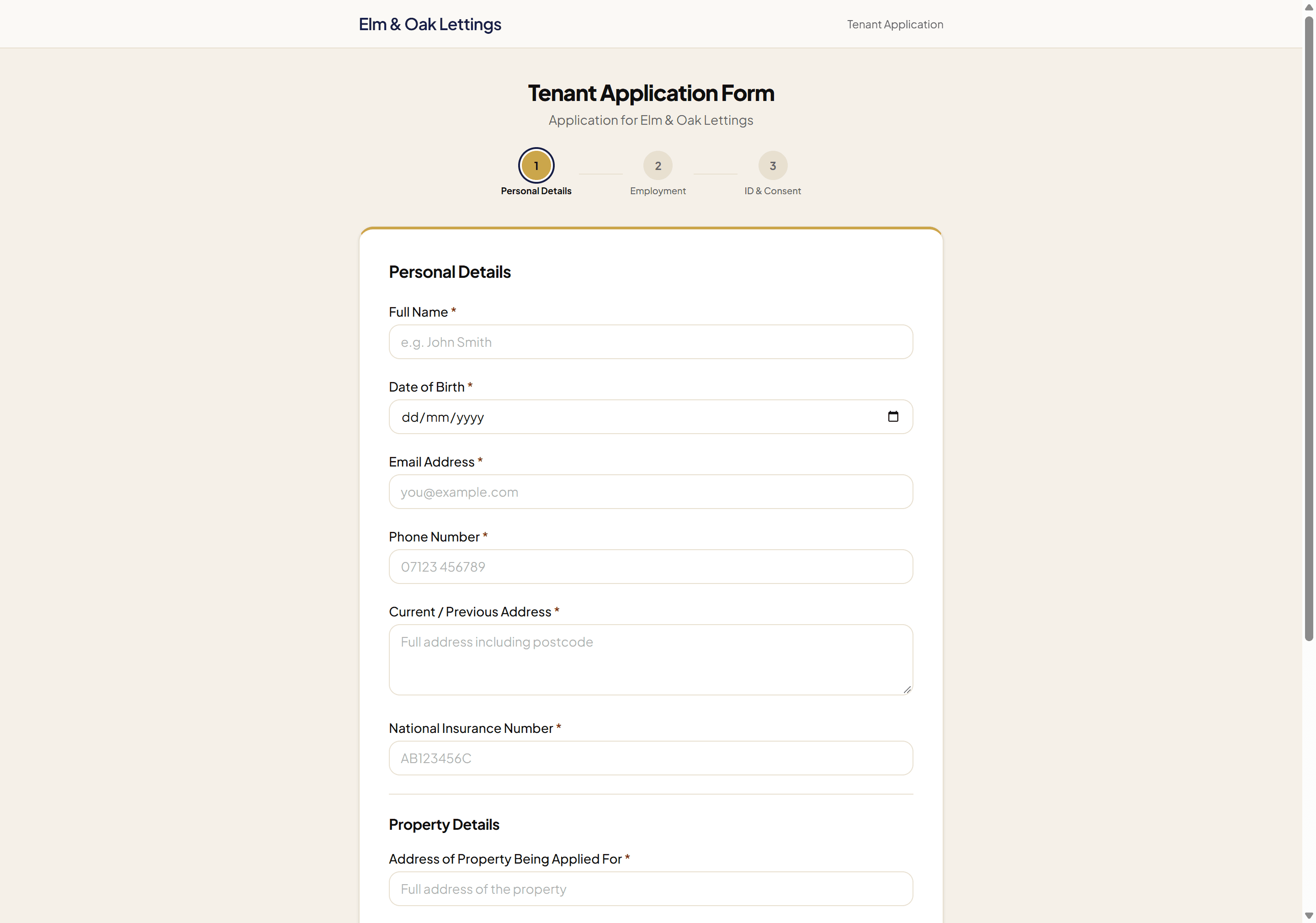
Tenant fills out the form
Three short steps: personal details, employment and income, ID and consent. NI number is validated, ID documents upload straight to encrypted storage, and GDPR + credit-check consent are captured with timestamps.
- No account required for the tenant — just open the link
- Document uploads (ID, proof of income, proof of address) go to encrypted storage
- Explicit GDPR and credit-check consent captured with timestamps
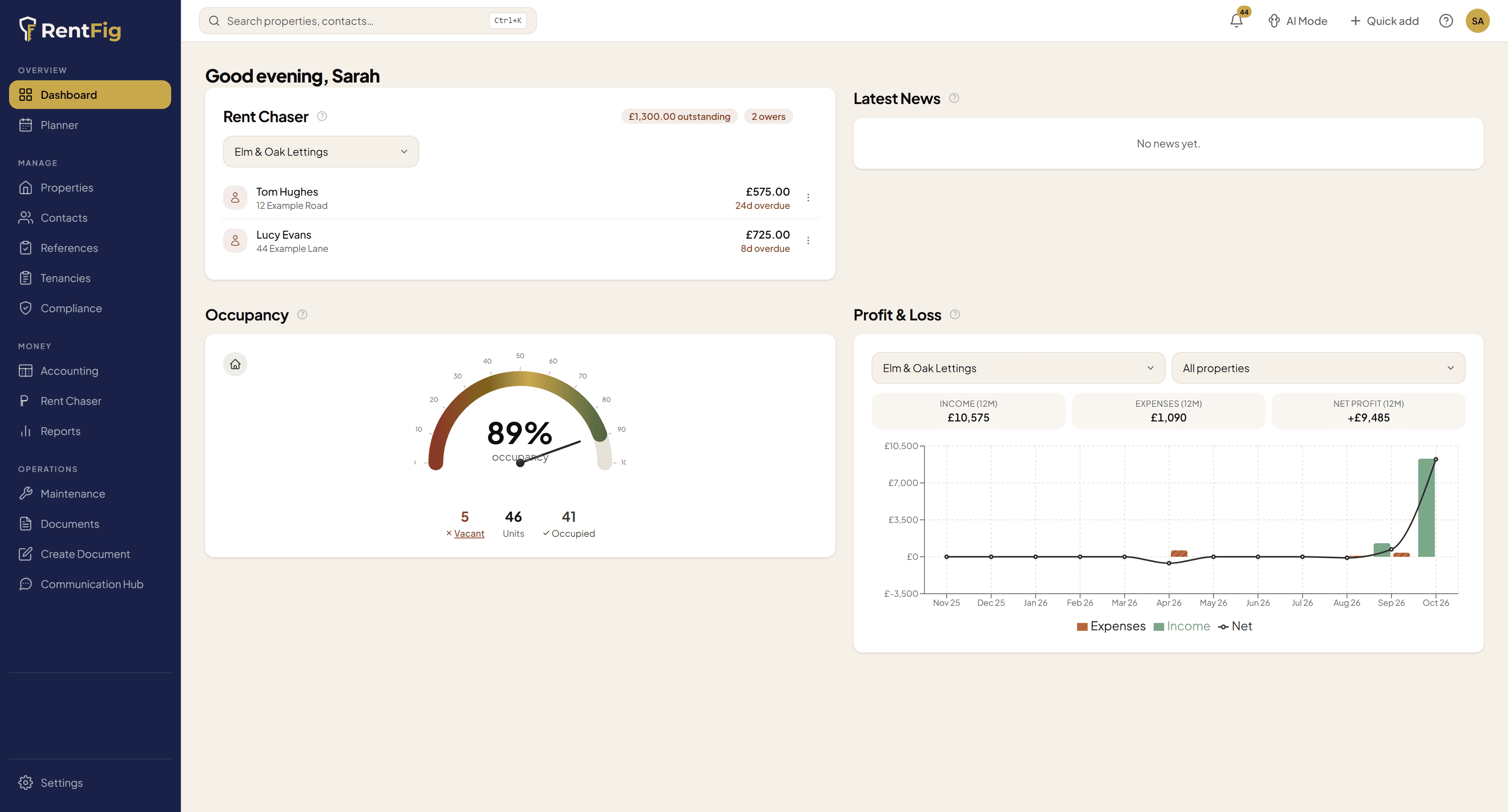
Land in your inbox and in-app
The moment a tenant submits, you get an email summary from RentFig and the application appears in For Your Attention on your dashboard. Nothing slips through the cracks.
- Email notification to the organisation owner via Resend
- Live in-app alert on the dashboard For Your Attention widget
- Full submission — every field and every uploaded document — ready to review
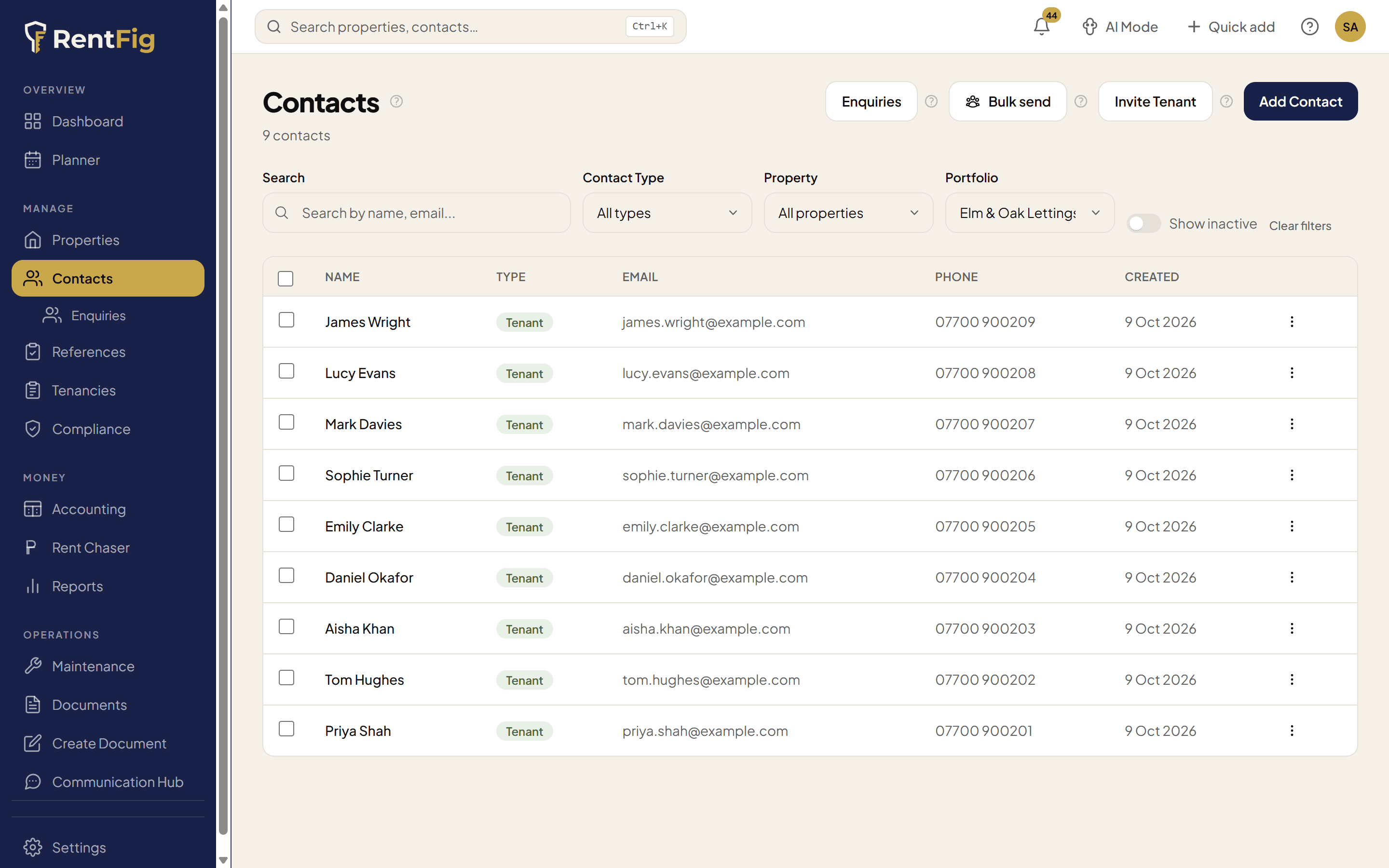
Auto-saved to Contacts → built-in referencing
A prospective tenant contact is created automatically with all their details and documents attached. From the contact, kick off a built-in reference check — credit, income, and previous-landlord references — without leaving RentFig. No extra accounts, no third-party portals.
- Contact created as prospective_tenant with all fields pre-filled
- Uploaded documents attached to the contact and application record
- Built-in referencing — Full tenant report £17 or Credit check only £7
- Tenant or guarantor; 12 / 6 month or non-tenancy credit check
Reference checks, run inside RentFig
Pick the check, the term, and who completes the form — no third-party portals, no extra accounts, no monthly fee.
Full tenant report
Credit, income, and previous-landlord references — everything you need to make a letting decision.
£19 for non-members
- Credit check (hard search)
- Income verification
- Previous-landlord reference
- Tenant or guarantor
- 12-month or 6-month tenancy term
Credit check only
A quick credit search — ideal for re-checks, guarantors, or non-tenancy scenarios.
£9 for non-members
- Credit check (hard search)
- Tenant or guarantor
- Use for non-tenancy credit checks
- Fast turnaround
Choose “Email link to tenant” so the applicant completes the form, or fill it in yourself on their behalf. Paid per applicant — no subscription, no per-property fee.
Not ready to sign up yet?
Run a tenant reference check without a RentFig account — credit check from £9, full report from £19.
What gets captured, automatically
Every field the form collects flows straight into the contact and application record — ready for tenancy creation or referencing.
Right to Rent reminder. Uploaded ID documents help you prepare, but UK Right to Rent rules still require the landlord (or an authorised agent) to verify the tenant’s original physical ID in person, or use a Home Office–approved IDVT provider.
What tenant onboarding software actually does
Tenant onboarding software replaces the email-PDF-spreadsheet scramble that most UK landlords and letting agents still run when a new tenant applies. Instead of emailing a form, chasing ID over WhatsApp, and re-typing everything into a spreadsheet, you send a single link and the applicant’s details, documents and consent flow into one place automatically. RentFig is tenant onboarding software built specifically for the UK lettings market — from the application form through to Right to Rent evidence, GDPR consent and built-in referencing.
The value is in what it removes. A manual onboarding process spreads a single applicant across your inbox, a shared drive, a referencing portal and a spreadsheet — four systems, four chances for a typo, a missing document or a forgotten consent. Good onboarding software collapses that into one guided flow with a clean audit trail, so you can move from “interested tenant” to “referenced and ready” in hours rather than days.
For onboarding software estate agents and self-managing landlords alike, the same tool works at either scale. A landlord with one flat gets a professional, branded application experience for free; an estate agent onboarding tenants across dozens of properties gets a repeatable, consistent process where every applicant is captured the same way, every document is stored securely, and referencing is one click from the contact record — no per-tenant setup and no extra portals to log into.
Manual onboarding vs onboarding software
A step-by-step comparison of doing it by hand versus running it through RentFig.
| Onboarding step | Manual (email, PDF, spreadsheet) | With RentFig onboarding software |
|---|---|---|
| Collect the application | Email a PDF or Word form and wait for it to come back — often half-completed or in the wrong format. | Share one branded link. The tenant completes a guided three-step form on any device, no account needed. |
| Gather ID & documents | Chase photos of passports and payslips over email or WhatsApp, then save them to a folder by hand. | ID, proof of income and proof of address upload straight into encrypted storage, attached to the record. |
| Capture consent | Ask the tenant to reply confirming consent — easy to forget, hard to evidence later. | GDPR and credit-check consent captured with timestamps against the contact for a clean audit trail. |
| Create the contact | Re-type every field into a spreadsheet or CRM, introducing typos and duplicates. | A prospective-tenant contact is created automatically with every field and document pre-filled. |
| Run referencing | Log in to a separate referencing portal, re-key the applicant's details, and reconcile the result manually. | Start a built-in credit check or full reference in one click — no third-party portal, no re-keying. |
| Track progress | No single view — status lives in your inbox and memory across multiple applicants. | Every application lands in For Your Attention with live status, so nothing slips through the cracks. |
The result is faster, more consistent onboarding with fewer errors and a documented consent trail — whether you’re a landlord letting a single property or an estate agent onboarding tenants at volume. Start free with no card, and only pay per reference check when you’re ready to run one.
Frequently asked
Do tenants need a RentFig account to apply?
No. They open the link, fill out three short steps, and submit — no signup, no password.
What does a reference check cost?
Two options, both paid securely when you start the check: Full tenant report (credit, income, references) is £17, and Credit check only is £7. You choose tenant or guarantor and 12-month, 6-month, or non-tenancy term before payment.
Where are the uploaded documents stored?
In your organisation’s private, encrypted storage with row-level access controls. Only your team can access them.
Can I regenerate or deactivate the link?
Yes. From Settings → Tenant Applications you can regenerate the link at any time, which deactivates the previous one immediately.
What happens if a tenant uploads the wrong document?
All documents are attached to the application and the auto-created contact, so you can review them, request replacements, or delete them from the contact record.
Does this satisfy my Right to Rent ID check?
No — uploaded ID documents help you prepare, but UK Right to Rent rules still require the landlord (or an authorised agent) to verify the tenant's original physical ID in person, or use a Home Office–approved IDVT provider. Treat the uploads as supporting evidence, not a substitute for the statutory check.
What documents must I give a tenant at the start of a tenancy?
In England: the Energy Performance Certificate (free of charge, before letting), the current Gas Safety Certificate (before occupation, where there's a gas supply), the Electrical Safety Report (EICR — before occupation), and — under the Renters' Rights Act 2025 — a Written Statement of Terms before the agreement is signed. If you take a deposit, the tenant must also receive the Prescribed Information and scheme leaflet. RentFig's Tenancy Setup Wizard gathers all of these into one tracked pack and sends them in a single email.
What is Prescribed Information and when is the deadline?
The statutory details of how the tenant's deposit is protected. You must protect the deposit and serve the Prescribed Information within 30 days of receiving the deposit — the Setup Wizard tracks both against that clock.
What happens if I don't protect the deposit within 30 days?
It's a serious breach — the tenant can claim up to 3x the deposit amount. Always use a government-approved scheme (DPS, TDS or mydeposits); the Setup Wizard records the scheme, certificate and leaflet so there's an audit trail.
New to this? How to invite a tenant with one link · Setting up a new tenancy? Read the compliance walkthrough
Stop chasing PDFs over email.
Start collecting tenant applications, documents, and consent in one place — with referencing one click away.