
HMO management software, room by room.
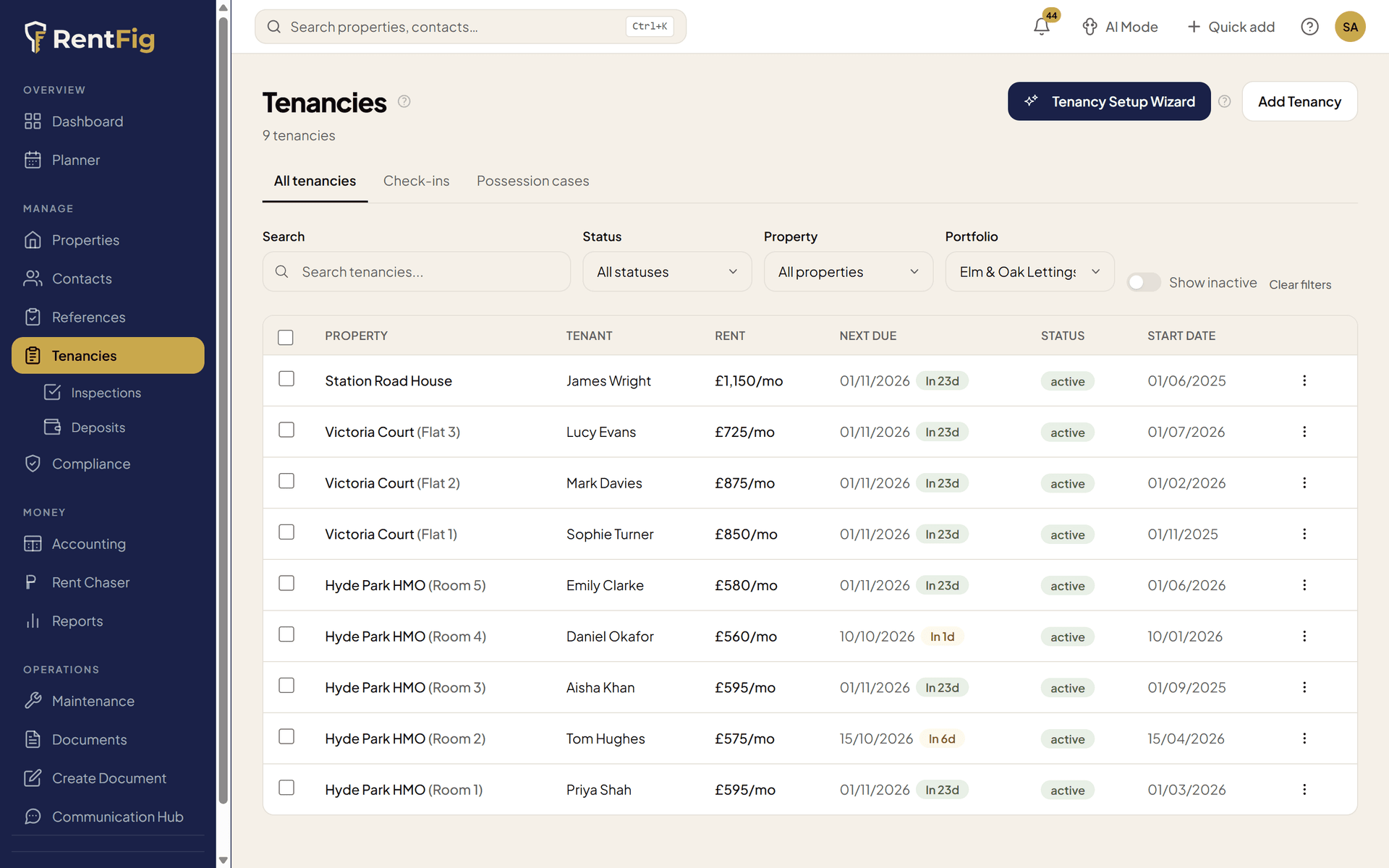
RentFig runs an HMO the way you actually let it: each room has its own tenancy, rent and certificates, and the property gets an HMO licensing check — households, occupants, room sizes and licence limits — with the application pack ready to download. The HMO tools are on every plan, including Free.
Room-by-room lets use one tenancy per room: Starter (£9/mo) covers 10 tenancies, Standard (£29/mo) 30.
Set up an HMO in RentFig
Step 1: Add the property and its rooms
Mark it as an HMO and add each room or flat — floor, size, furnishing, bills policy and the licence's room limit.
Step 2: Let each room its own way
A tenancy per room on the Room Only HMO agreement, or one joint tenancy for sharers. Rent and due dates per room.
Step 3: Check the licensing
RentFig works out whether a mandatory HMO licence looks likely from the people and households, and flags council schemes to check.
Step 4: Track certificates and limits
Gas, electrical, fire and licence certificates for the whole house, the communal areas or a single room — with a warning if more people live there than the licence allows.
Everything an HMO needs, in one place
Rooms and flats as units
Tenancies, certificates, maintenance jobs, meter readings and transactions can each belong to a single room — and on Standard and Business, so can adverts. A five-room house isn't one muddled record.
HMO licensing check
Mandatory HMO worked out from people and households; additional and selective licensing flagged as "possible — check with your council" where a scheme is tracked.
Room-size check
Each bedroom checked against the Housing Act 2004 minimums — 6.51 m² for one person over 10, 10.22 m² for two, 4.64 m² for a child under 10 — once you enter floor areas.
Licence limits
Record the licence's maximum occupants and households; RentFig warns on the dashboard if the tenancies add up to more people than the licence allows.
Licence application pack
A checklist of what councils ask, copy buttons for each answer, a PDF pack with your latest gas, electrical, EPC, fire and licence certificates — and a record of each application from planned to granted.
HMO notices and agreements
The HMO manager's details notice (added to the tenancy pack when the property is an HMO, licence number pre-filled), a Ground 4A notice for student HMOs, and Room Only and Joint Sharers agreements.
Fire alarm record
Log detection, emergency lighting, fire-fighting equipment, exit routes and CO alarm checks, signed, and export the logbook as a PDF.
Bills and fair use
Set which bills are included and a fair-use cap for the whole house or per room — carried into your PRS Database answers and, on Standard and Business, your adverts.
Licence and exemption reminders
Email reminders 90 days before a licence expires and 21 days before a temporary exemption ends (Starter and above), dashboard alerts on every plan when a licence looks likely to be needed, and a Licensing view across all your properties.
What it doesn't do
- It doesn't apply for, submit or pay for a council licence — you get the checklist, answers and pack, and apply to your council yourself.
- It doesn't decide whether a property is an HMO or needs an additional or selective licence. You set the HMO flag, and licensing results are a guide, not legal advice.
- Room-size checks need floor areas entered; there's no floor-plan or measuring tool.
- It doesn't split utility bills between rooms, or split one joint tenancy's rent between the tenants.
- It doesn't track planning use class (C4) or Article 4 directions.
- Licensing and PRS Database features cover England only.
Frequently asked questions
Which RentFig plan do I need for an HMO?
Every HMO feature — rooms, the licensing check, room sizes, licence limits, HMO notices and agreements, the fire alarm record — is on every plan, including Free. What changes is how many tenancies you can have: letting by the room uses one tenancy per room, so Free (2 tenancies) suits only the smallest setups, Starter covers 10 and Standard 30. Licence reminder emails start on Starter, and extra tenancies are £2 a month on Starter or £1.25 on Standard and Business.
Can I let rooms individually and as a joint tenancy?
Yes. Each room can have its own tenancy on the Room Only HMO agreement, or a group of sharers can sign one joint tenancy (up to 4 tenants, each with an optional guarantor). For the licensing check, RentFig counts one household per room let; for a joint tenancy, you enter how many households live there.
Does RentFig tell me if I need an HMO licence?
It gives you a guide. For mandatory HMO licensing it works out the likely answer from the number of people and households. For additional and selective licensing it can only say a scheme may apply and that you should check with the council — always confirm with your council before letting.
Can certificates cover just one room or the communal areas?
Yes. A certificate can cover the whole property, the communal areas, or specific rooms or flats, and the health check can be shown room by room. Fire risk assessments, fire alarm and emergency lighting certificates are built-in categories you switch on per property.
Does it help with the PRS Database?
Yes. The PRS Database tab adds up households, people and rent across all the rooms, uses the register's own bill list, and gives each self-contained flat its own entry. RentFig prepares the answers; you register on GOV.UK yourself.
How much does an HMO licence cost?
It depends on the council — see our HMO licence fees index, which compares mandatory, additional and selective licence fees across 71 councils with links to each council's own fee schedule.
Related
HMO licence fees by council
What 71 councils charge, with sources
HMO licence guides by council
Schemes and rules, council by council
Is it an HMO?
Free checker for the HMO definition
Compliance tracking
Gas, EICR, EPC and fire certificates with reminders
HMO licensing crash course
Mandatory, additional and selective explained
PRS Database guide
Registering every let property from December 2026
Run your HMO room by room.
Rooms, licensing, certificates and agreements in one place — on every plan.